In the face editor, press V → Import Customization Data. Upload a QR image or paste the case-sensitive string into Enter Customization Code.
Where to enter a character code or QR image
During initial creation, open Face. For an existing character, start at Character → Appearance and enter edit mode. On PC, the V prompt at the bottom opens Import Customization Data; with a controller, use the button shown by your current interface.
The panel offers two separate methods: Add Image with QR Code loads a saved picture, while Enter Customization Code accepts an ARTaR… string. Inspect the imported face, adjust any sliders you want, and only then choose Complete or confirm the paid change.
The two controls you need
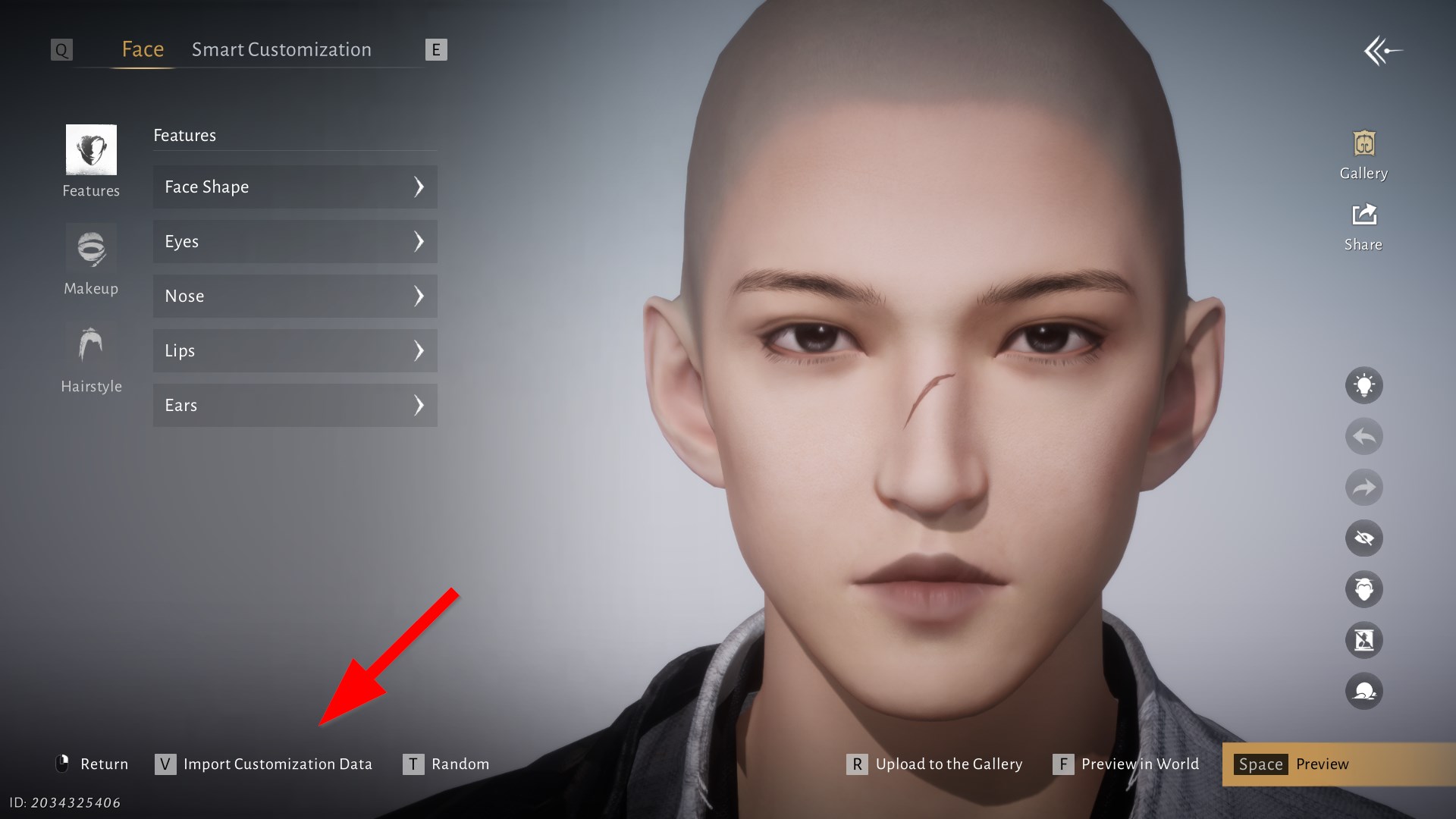
- In Face, press V — Import Customization Data. The red arrow in the screenshot points to the correct control.
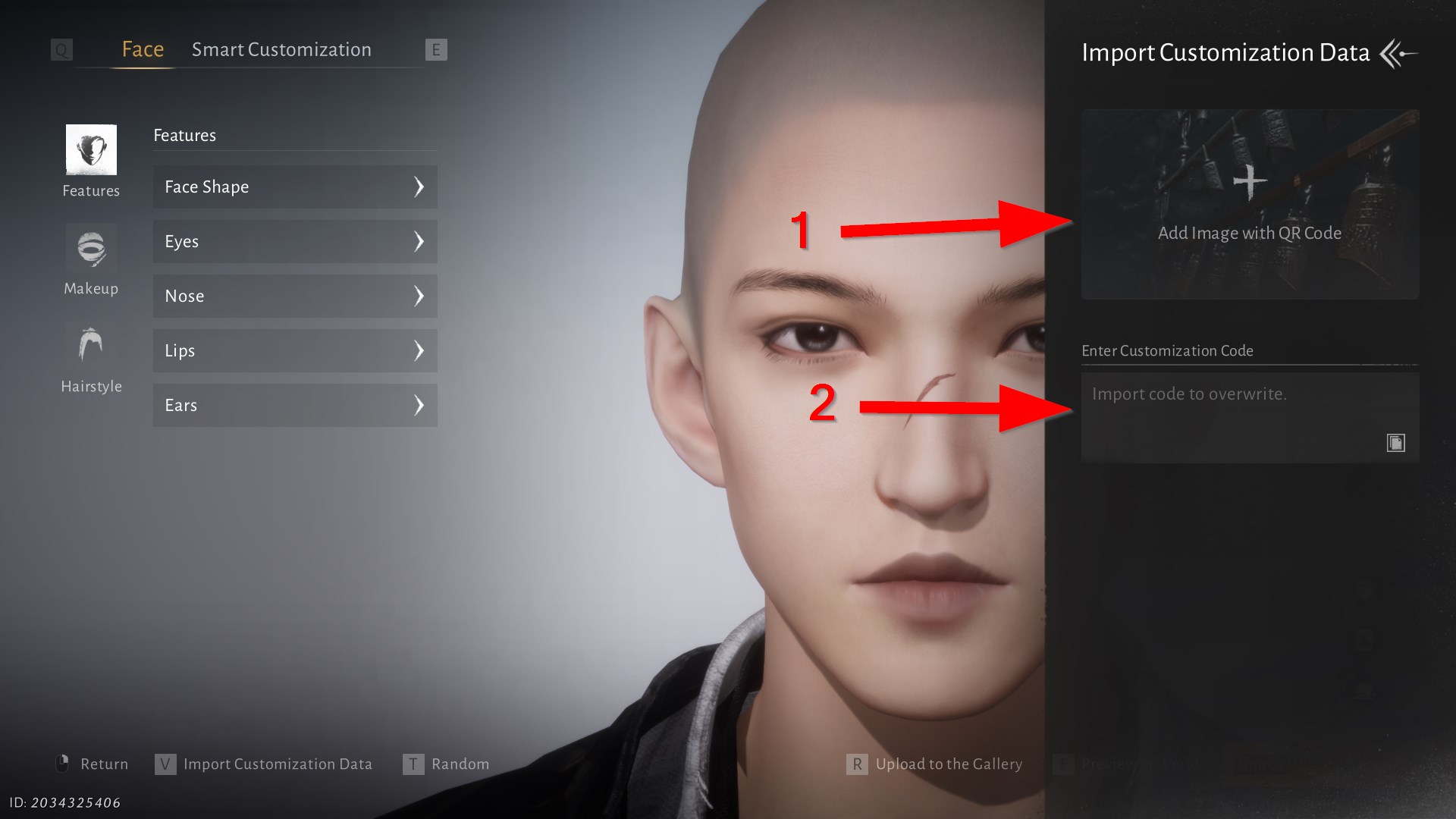
- Choose Add Image with QR Code (marker 1) or Enter Customization Code (marker 2).
8 Where Winds Meet character codes with previews
Choose an appearance from the screenshot, copy the code in its card, and paste it into Enter Customization Code. Every preset shown here was tested with the male body type; the game can reject an import when your current body type is incompatible.
All eight codes were imported in the PC editor on September 1, 2026. Each screenshot shows the imported result; hair, makeup, and clothing can differ when the required cosmetics are unavailable on your account.
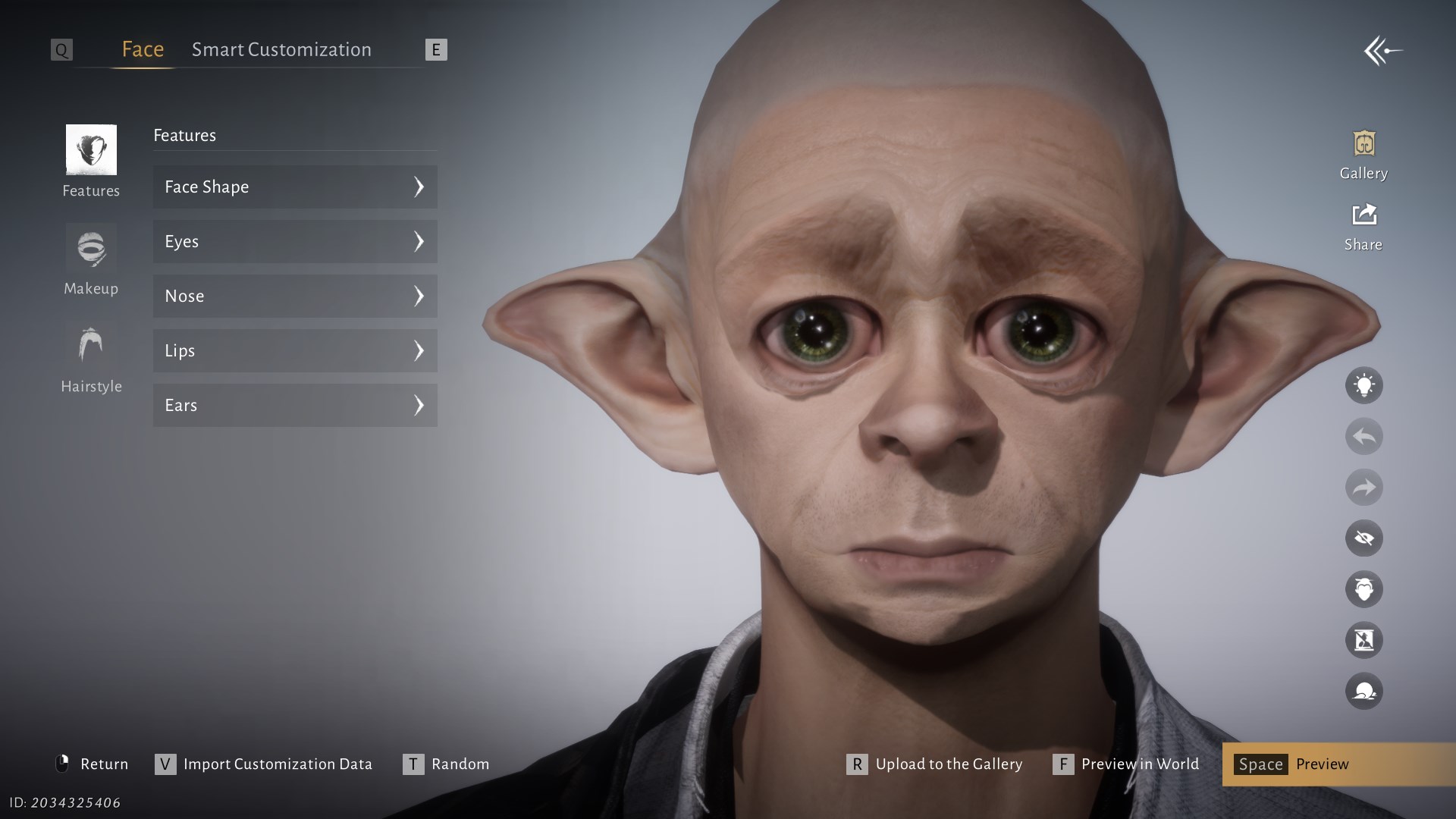
Dobby
Category: movie
- Body type
- male
- Compatibility
- global
- Verified
- 2026-09-01
ARTaRjNQlGL84kgWa29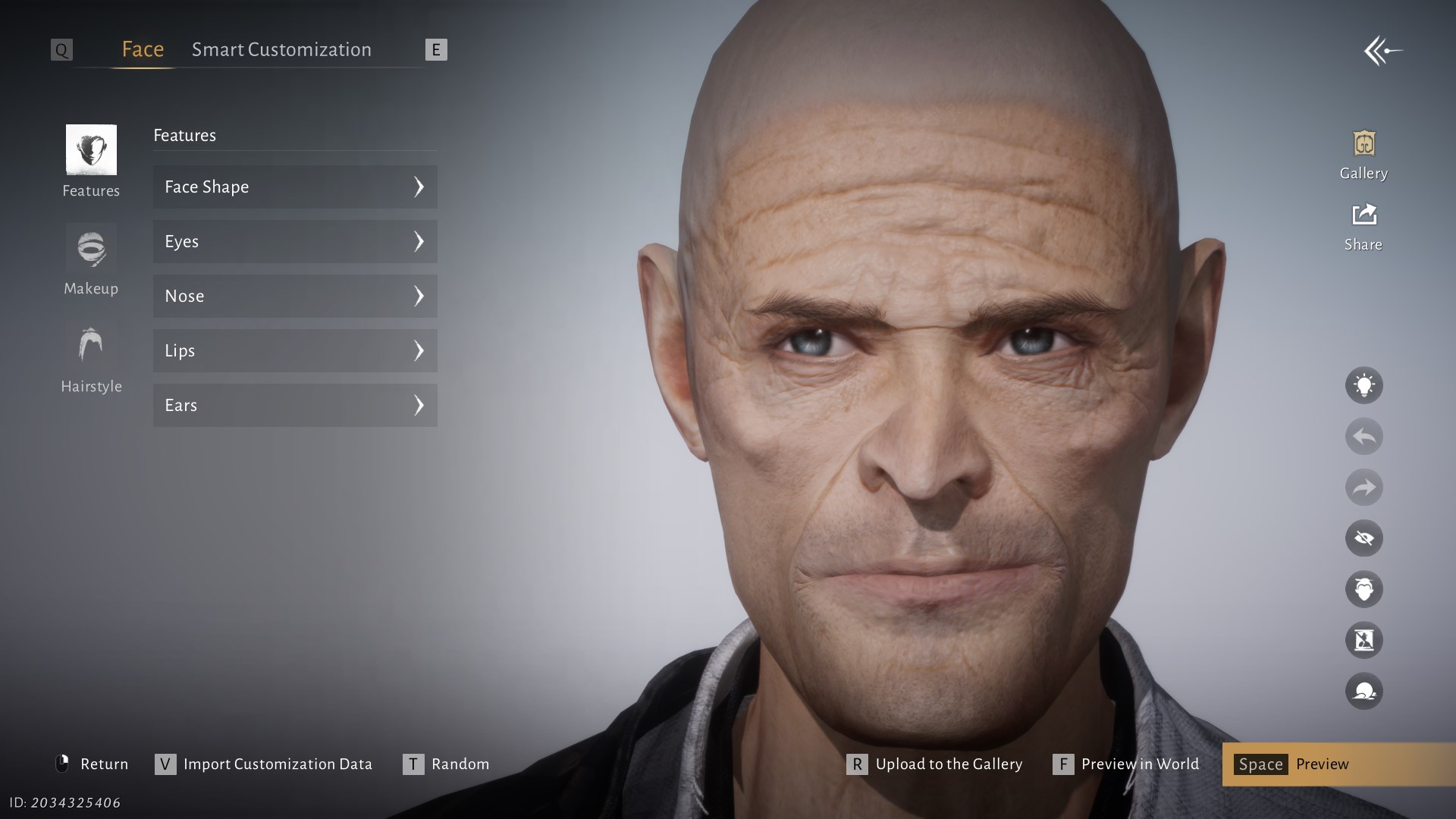
Willem Dafoe
Category: celebrity
- Body type
- male
- Compatibility
- global
- Verified
- 2026-09-01
ARTaRvVgK6Hm+srVuv+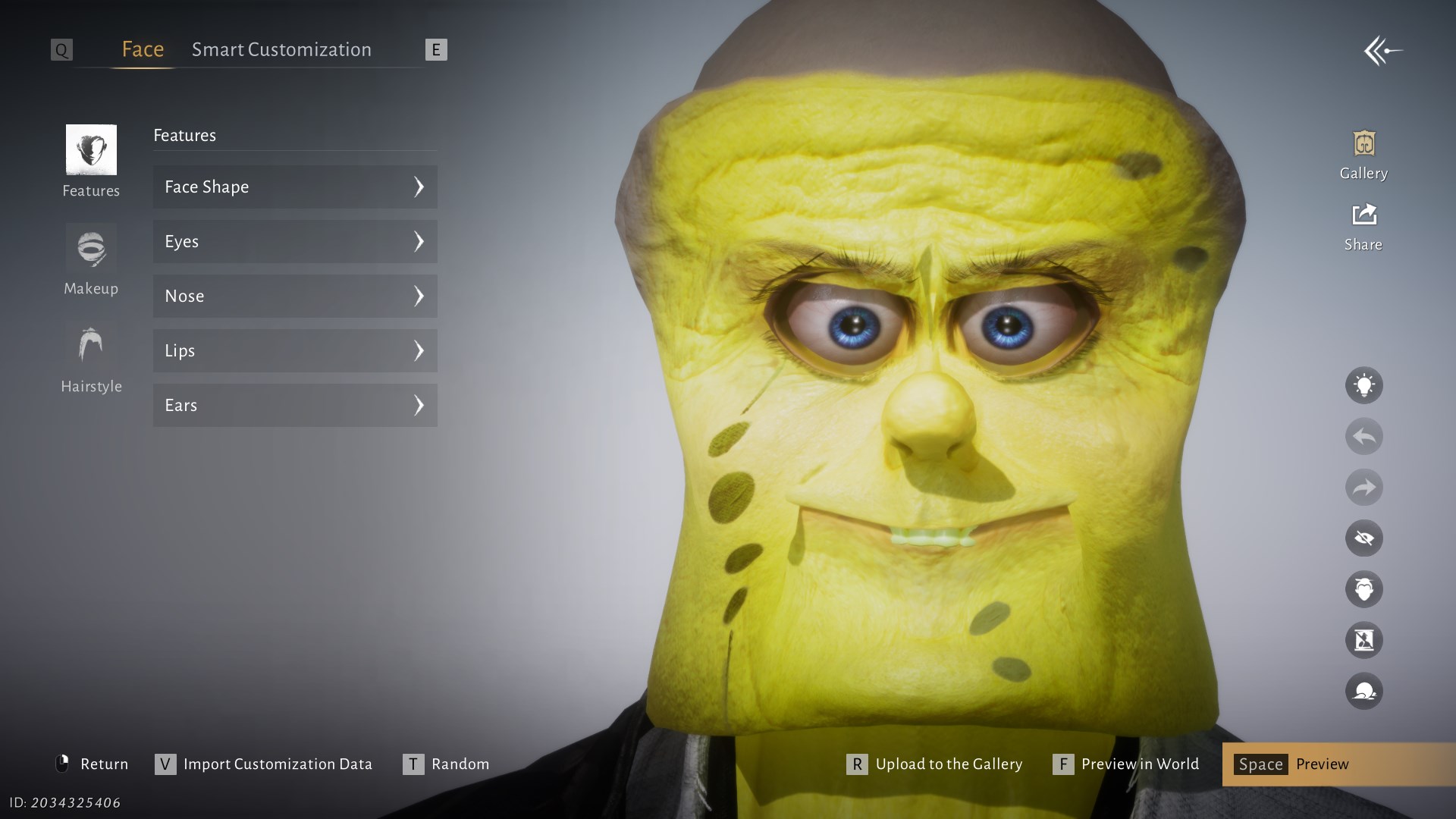
SpongeBob SquarePants
Category: cartoon · Creator: 海綿大寶寶
- Body type
- male
- Compatibility
- global
- Verified
- 2026-09-01
ARTaRfk3jHAH48JB7ru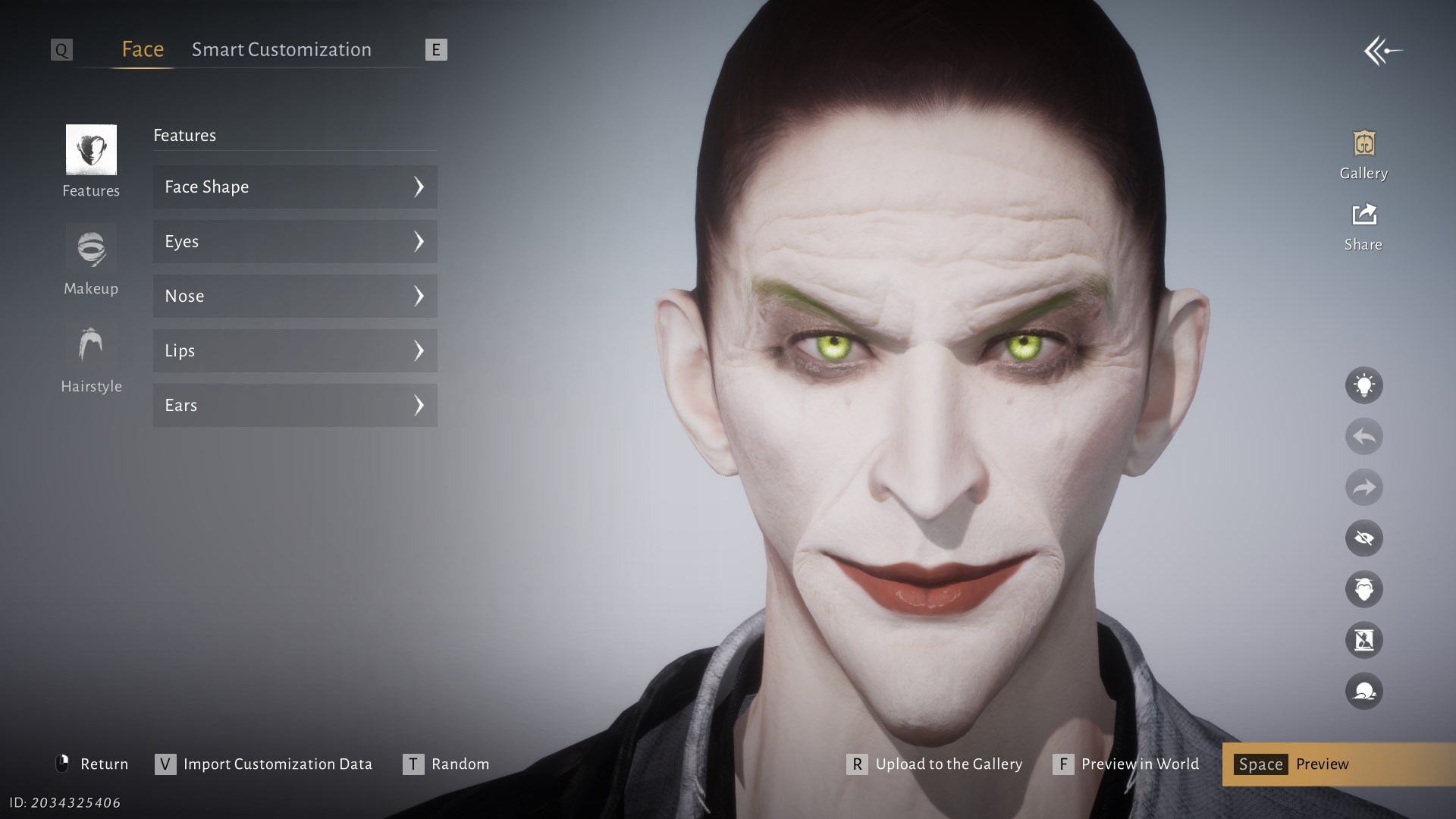
Joker
Category: comics · Creator: Joker-
- Body type
- male
- Compatibility
- global
- Verified
- 2026-09-01
ARTaRprXck15xoGO1ee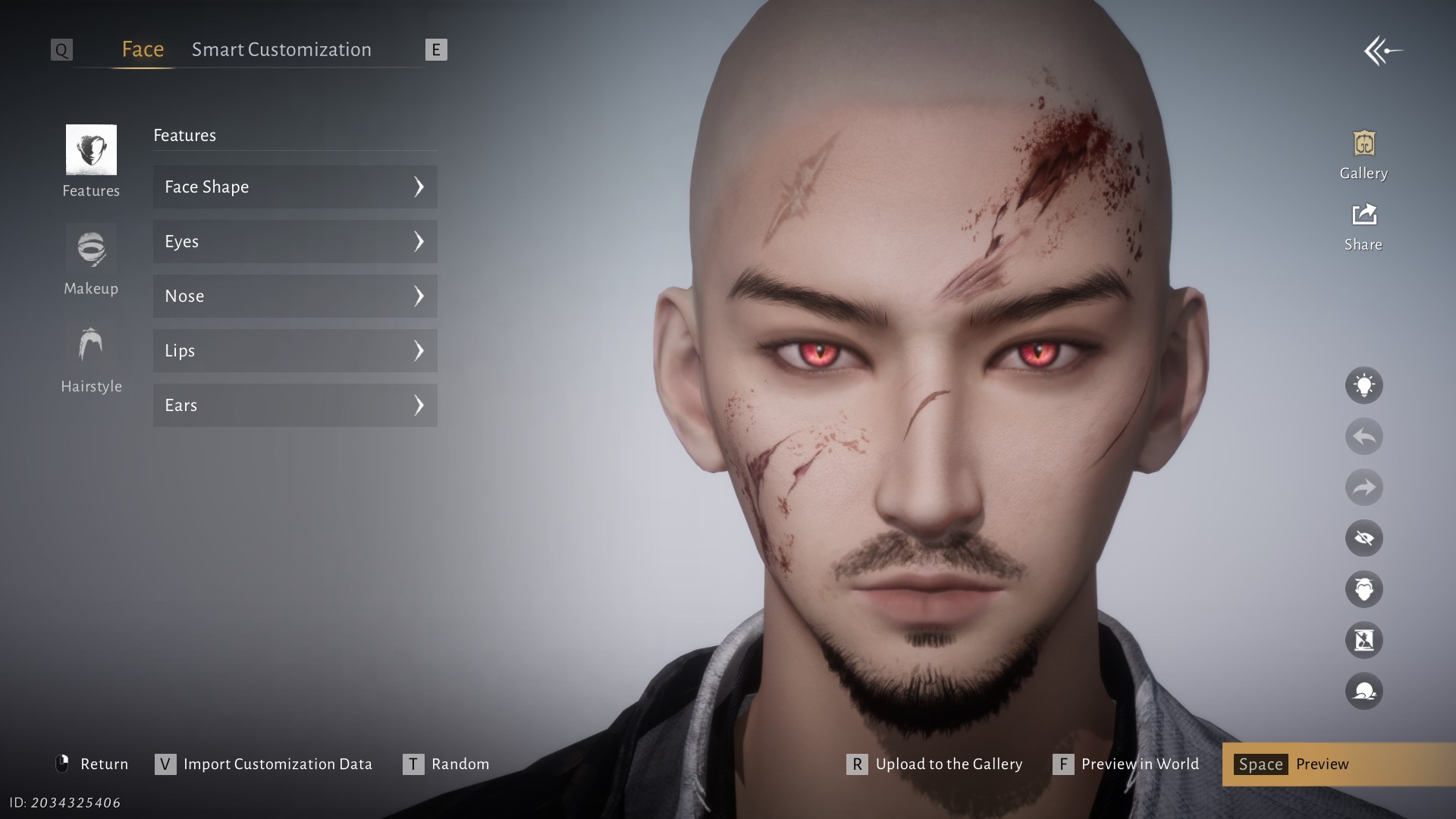
Itachi Uchiha
Category: anime
- Body type
- male
- Compatibility
- global
- Verified
- 2026-09-01
ARTaRfF+57jnV98BfjT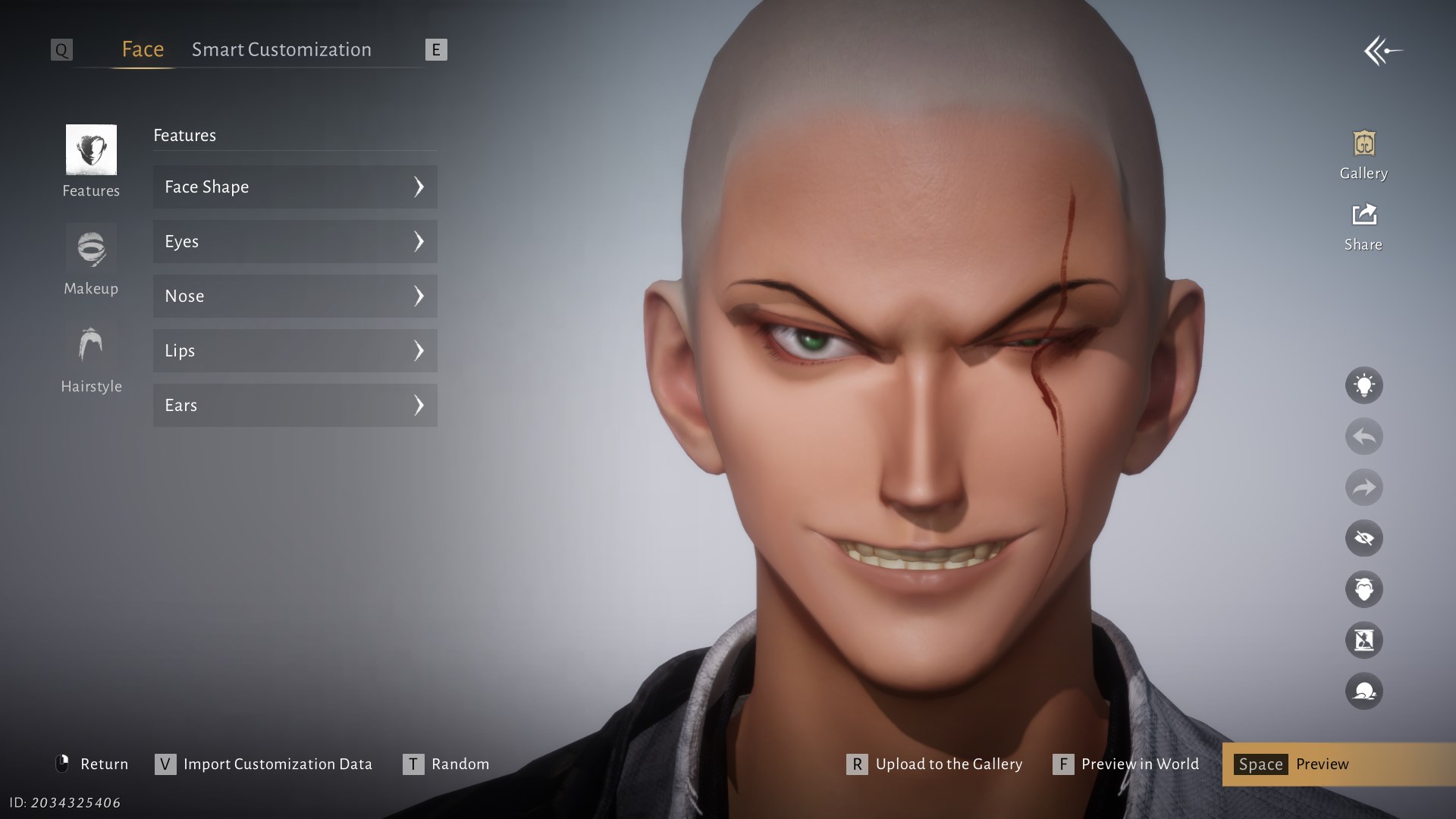
Roronoa Zoro
Category: anime
- Body type
- male
- Compatibility
- global
- Verified
- 2026-09-01
ARTaRpWLsk15x0GQfrl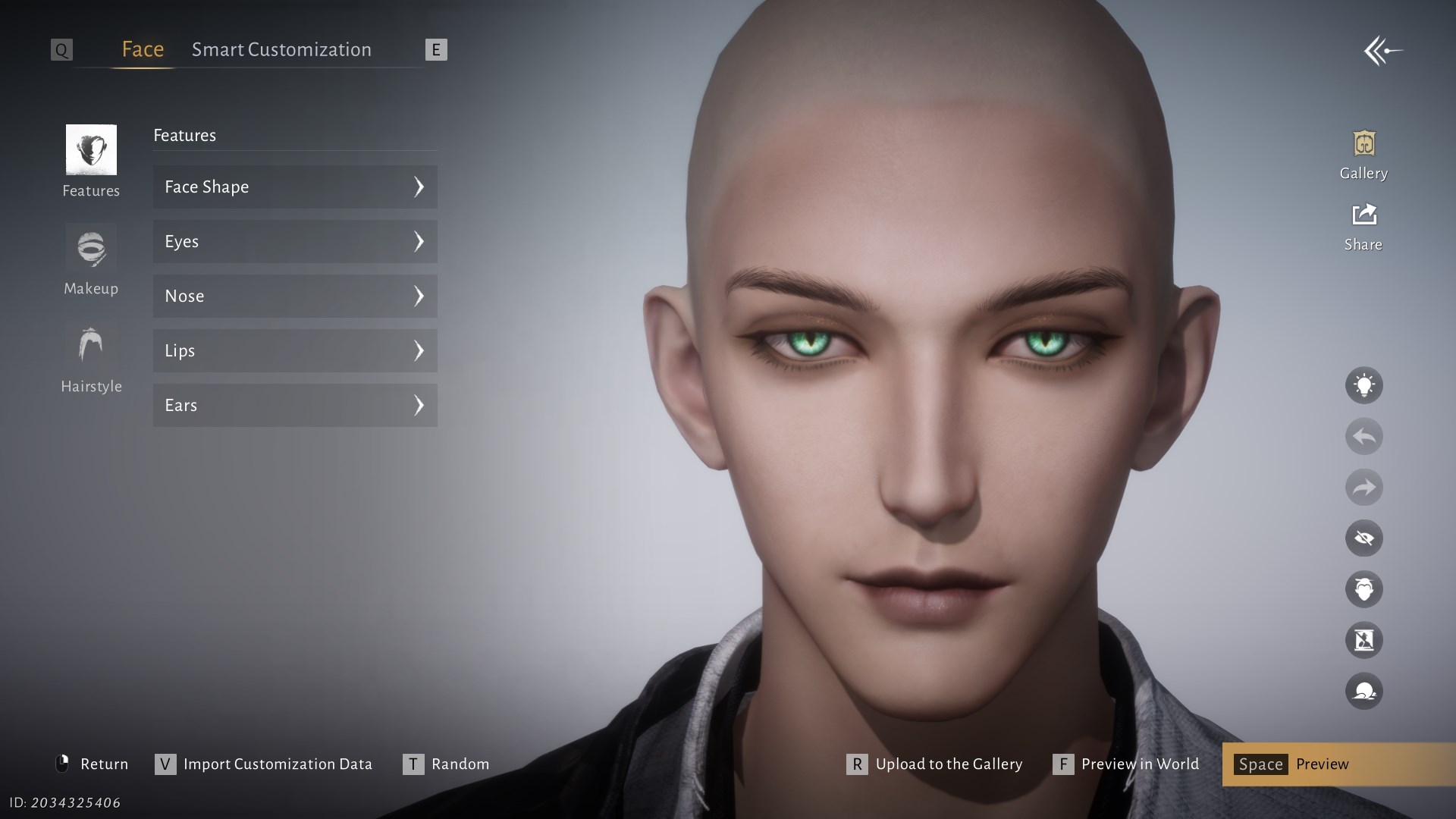
Sephiroth
Category: video game · Creator: Unum
- Body type
- male
- Compatibility
- global
- Verified
- 2026-09-01
ARTaRfKOhzQtAd9YCa3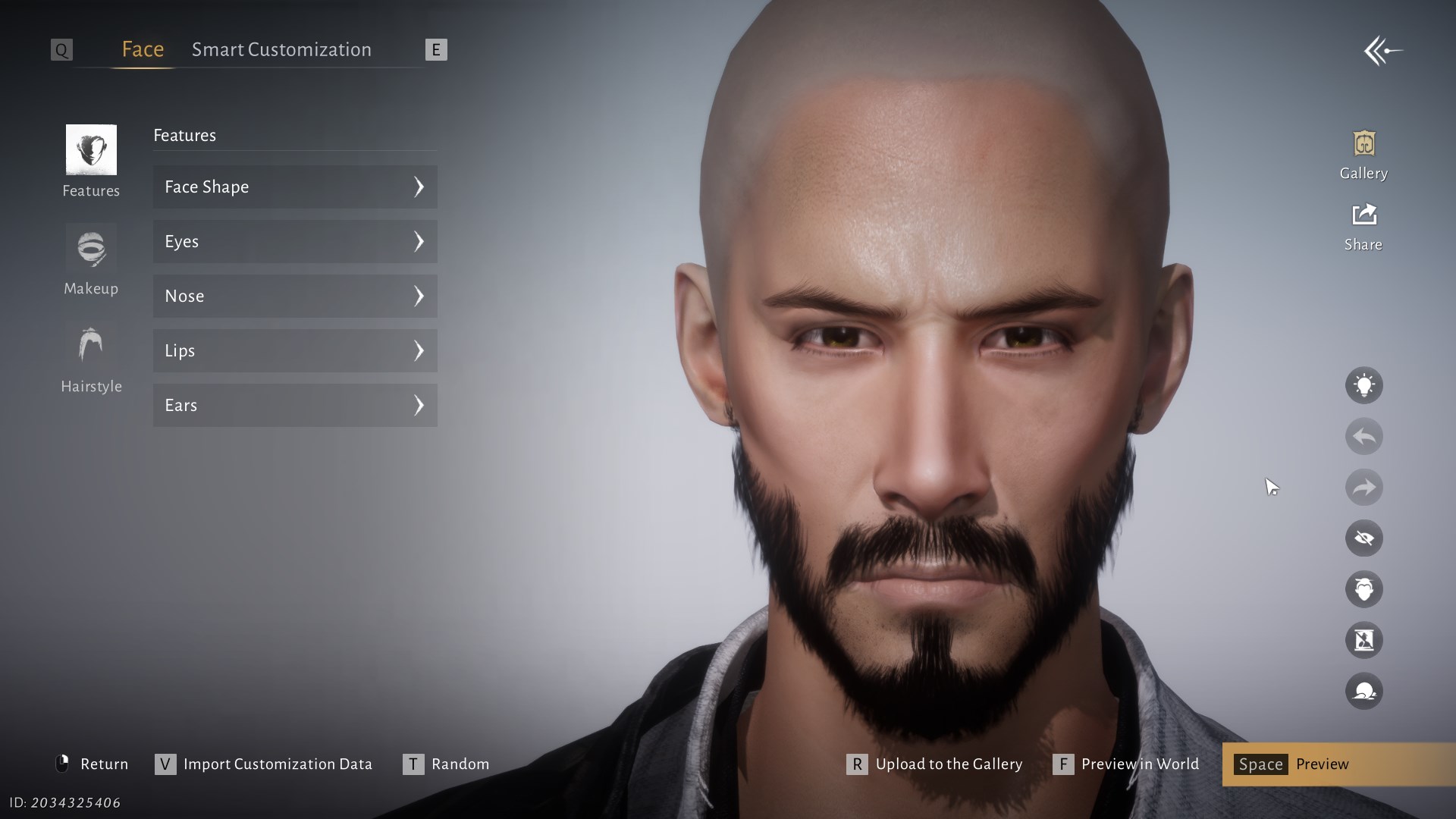
Keanu Reeves / John Wick
Category: celebrity · Creator: WayOfTheSamuray
- Body type
- male
- Compatibility
- global
- Verified
- 2026-09-01
ARTaRiBmXFg6ipeQfyAText code vs QR, Gallery, Work ID, and Smart Customization
These options can produce similar results but belong in different fields. Paste an ARTaR… string into the import box, load QR as an image, and search a Work ID among published Gallery designs. Smart Customization generates a face from a description or reference; it is not an appearance-preset code.
| Format | Example | When to use it |
|---|---|---|
| Text customization code | ARTaR… | The quickest method: copy the entire string and preserve letter case. |
| QR image | JPG / PNG | Save the original picture and load it through Add Image with QR Code; you do not need to scan the monitor with a phone. |
| Gallery / Work ID | Publication ID | Search for the public work inside Gallery. A numeric Work ID may be rejected by the ARTaR… text field. |
| Smart Customization | prompt / reference | Generates a new variation from text or an image; it does not have to match an existing code. |
Why a code fails or the imported face looks different
A preset carries face geometry, selected parameters, and compatible makeup; it does not grant paid or locked cosmetics. Hair, hair color, clothing, and individual details can therefore differ from the creator's preview.
If the game reports invalid or expired, do not confirm a paid edit. Check letter case, every + character, leading or trailing spaces, body type, client region, and the quality of the original QR image first.
Check these in order
- Paste it again: Preserve letter case and every digit, letter, and + sign. Remove leading and trailing spaces.
- Use the original QR: Messaging apps can compress or crop QR images. Load the original JPG/PNG, not a screenshot of a screenshot.
- Check body type: Gallery filters designs for the current body type. Switching to another type is a separate change, not just a new face code.
- Confirm the region: CN and Global publications are not always compatible. Find a fresh export for your client, and never give a converter account credentials or account files.
- Allow for deleted work: If a creator removes the preset from Gallery, its code can become expired. Ask the creator to publish it again.
- Separate cosmetics from the face: A missing hairstyle or makeup item does not necessarily mean that the face geometry imported incorrectly.
How to save and share your own appearance
Save the current face to an available slot first, then open Upload to the Gallery. Add a title and description, publish the work, and use Share to obtain whichever format your client offers: a text code, QR image, or published-work identifier.
How to publish your own preset
- Open Character → Appearance and save the current design to a slot if one is available.
- Choose Upload to the Gallery, then add a clear title and description.
- After publishing, open the work in your Gallery items and select Share.
- Send the text code or original QR together with a preview, body type, client region, and test date.
How to change appearance after character creation
Importing during initial creation is free until you finish the editor. After starting the game, open Character → Appearance: the final screen displays any free edit available to your account or the required item and current cost before you confirm.
What can be changed after starting
- Face / full editor: After any free edit available to the account, the game may require a Water Lady Script. Current guides list 200 Echo Jade, but treat the final confirmation screen in your build as authoritative.
- Makeup Plan: This changes a limited makeup set and does not replace a full face-geometry import.
- Body type: Changing body type is a separate action that uses a Transformation Pill. Save the existing preset first.
- Safe preview: Import and compare the profile, lighting, and unavailable cosmetics before consuming an item.
Where Winds Meet customization-code FAQ
The answers below explain appearance codes versus redeem codes, male/female body-type compatibility, QR import on PC, mobile, and PS5, plus Global versus CN codes.
Where do I enter a Where Winds Meet customization code?
In the Face editor, open Import Customization Data with V on PC, then paste the string into Enter Customization Code. On a controller, follow the button prompt at the bottom of the screen.
Do I scan the QR code with my phone?
No. Save the original QR image on the device and choose Add Image with QR Code. A phone is only useful for transferring the file to a PC or console.
Why does the game say expired or invalid code?
Expired often means the creator deleted the Gallery publication. Invalid commonly points to a missing character, wrong case, extra space, incompatible body type, client region, or damaged QR.
Can I use a male code on a female character?
Not always. Gallery exposes work for the current body type, and some imports are incompatible with another type. Changing body type is separate from applying a face code.
Does a character code include hair and clothing?
Only when the relevant cosmetics are available on your account and compatible with the preset. A code does not unlock paid hair, outfits, dyes, or rewards.
Do Chinese CN codes work on the Global client?
It is not guaranteed because publications and formats can differ by client. Look for a Global export or ask the creator to export again, and never give a third-party converter account credentials.
Can I import QR codes on PS5 and mobile?
Look for Import Customization Data in your version's editor. The concept is the same, but the control prompt, system file picker, and availability of image upload can differ from the PC interface shown here.
Is a character code the same as a redeem code?
No. An appearance code carries editor parameters and grants nothing. Reward or redeem codes use another menu and only provide the rewards explicitly listed for them.